
Introduction
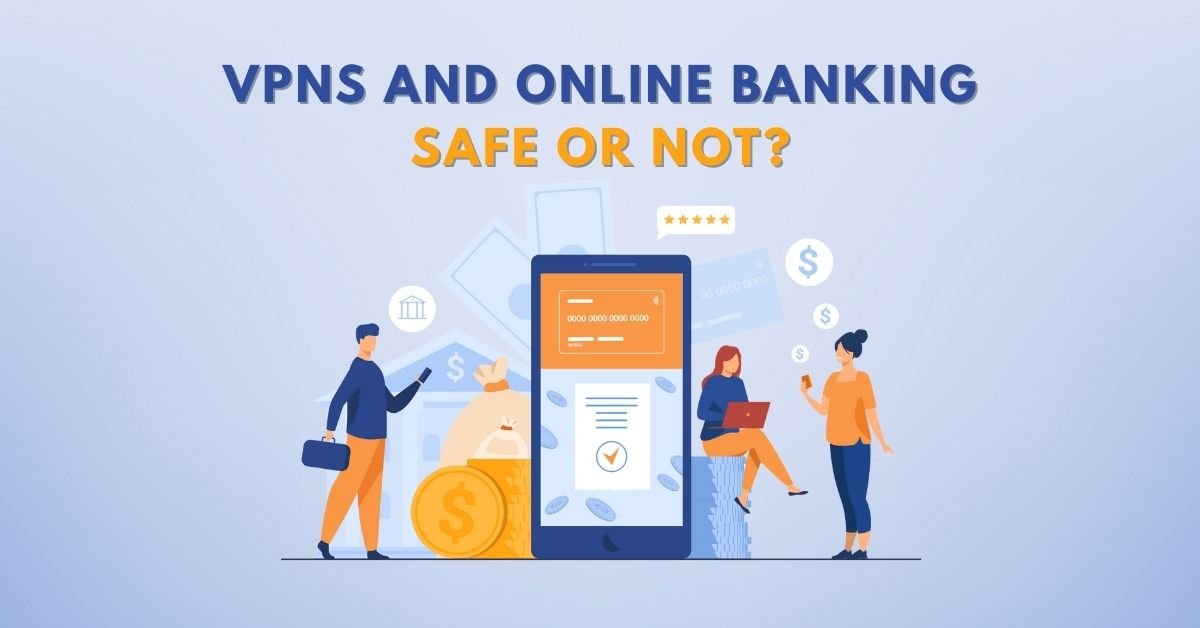
When you’re logging into your bank account—especially over public Wi‑Fi or from abroad—you might wonder: is using a VPN safe for online banking, or could it trigger fraud alerts or expose you to new risks? At VPN AdWiser, we get this question every day. In this detailed post, you’ll learn:
- ✅ What VPNs do and how they support online banking security
- ✅ The advantages and drawbacks of banking with a VPN
- ✅ How to select a trusted VPN for finance
- ✅ Real‑world scenarios: traveling, public Wi‑Fi, banking apps
- ✅ Step‑by‑step safety checklist
- ✅ Answers to frequently asked questions
Let’s dive in.
What Is a VPN & How Can It Protect Your Banking
What Exactly Does a VPN Do?
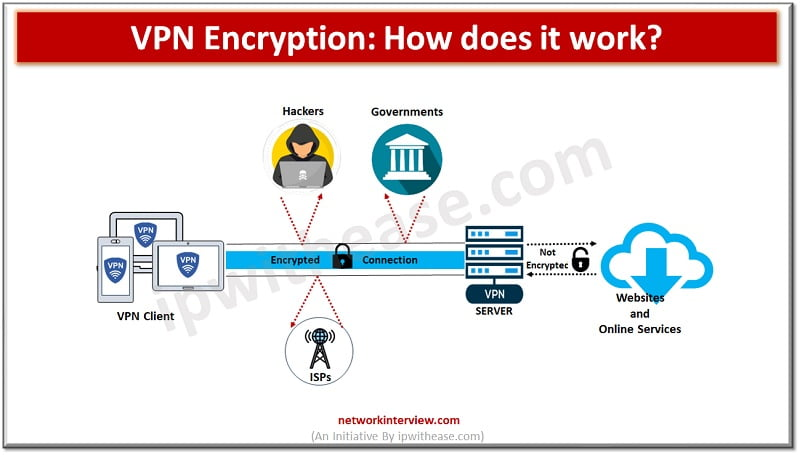
- A Virtual Private Network (VPN) encrypts your entire internet connection and hides your real IP behind the VPN server’s IP.
- It ensures a secure tunnel from your device to the VPN provider, keeping ISPs, attackers, or Wi‑Fi owners from snooping on your activity.
Why That Matters for Online Banking
Using a VPN adds an extra layer of encryption that protects banking credentials, account data, or transactions—especially on unsecured public networks where man‑in‑the‑middle (MitM) or DNS hijacks are possible.
Key benefits:
- Encrypt traffic end‑to‑end (on and off HTTPS)
- Mask your IP & location
- Hide metadata like DNS lookups or device identity
Pros of Using a VPN for Online Banking
Strong Encryption Against Eavesdropping
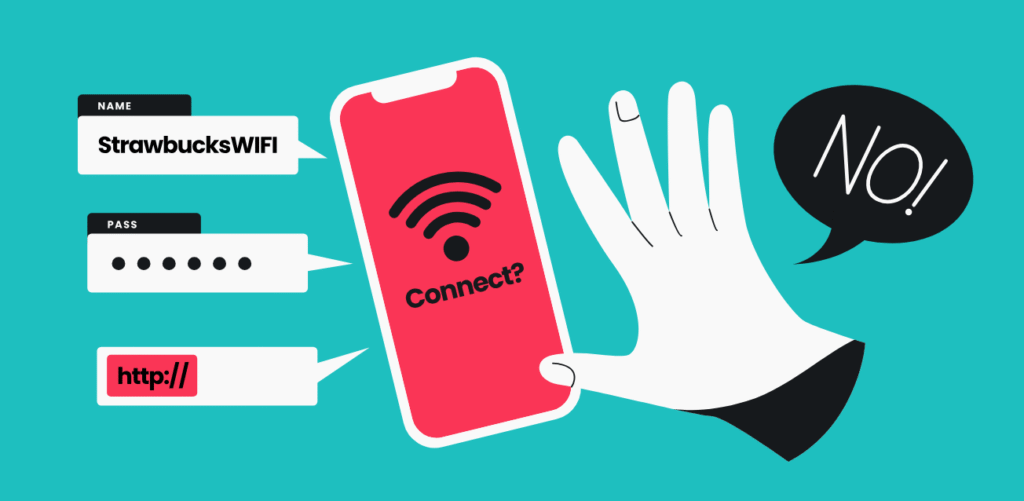
- Public Wi‑Fi is risky: criminals can intercept unprotected traffic or spoof network login pages.
- VPN encryption prevents this entirely—even over insecure networks.
Location Masking Helps Abroad
- Many banks track login location to detect fraud. If you’re travelling and log in from another country, they may lock your account.
- A VPN can let you connect back to your home country IP, making your access appear normal.
Consistent Protection Across Devices
- Mobile banking apps, tablets, and laptops all benefit from VPN protection—especially when HTTPS isn’t foolproof.
Privacy From ISPs and Trackers
- A VPN prevents your ISP or public Wi‑Fi provider from seeing which banking websites you visit — so they can’t profile or sell your browsing behavior.
Cons & Caveats: When VPNs Could Cause Issues
❗ IP‑based Fraud Alerts
- Banks may notice unusual IP activity and flag it as potential fraud. If you switch servers or VPN locations mid‑session, your login may trigger alerts or a block.
- To avoid this:
- Use a VPN server located in your home country
- Stay connected to the same VPN during the session
❗ Free VPNs Carry Hidden Risks
- Free VPNs often come with ads, trackers, and poor infrastructure. Some even leak DNS or IP data.
- Worse, they may log or sell your sensitive data—defeating the purpose of privacy.
❗ Misconfigured or Vulnerable VPN Clients
- Some commercial VPN clients on Windows/macOS/Linux have misconfiguration flaws which may strip encryption or expose credentials.
❗ VPNs Aren’t Full Anonymity or Anti‑Malware
- VPNs can’t protect against phishing, malware, or device‑level threats. They don’t stop fingerprinting, or protect against banking site flaws.
- Antivirus, strong passwords, 2FA, and vigilance remain essential.
Best Practices: Safe Banking with a VPN
✅ Choose a Reputable, Paid VPN
Look for:
- Strict no-logs policy
- AES‑256 encryption and secure VPN protocols
- Leak protection (DNS, IPv6, WebRTC)
- Servers in your home country
- Transparent privacy practices and good audits.
✅ Use Consistent VPN Server & Location
- Avoid switching servers mid‑session
- Set a habit: connect, verify location near your bank, then log in
✅ Enable Additional Layers of Security
- Use multi‑factor authentication (MFA/2FA)
- Keep operating system and browser up to date
- Avoid copying passwords or saving them in unsecured notes
✅ Pair With Antivirus and Safe Browsing
- Install a quality antivirus and keep it current
- Don’t rely solely on VPN encryption—avoid clicking on suspicious links or HTTP pages
✅ Be Careful When Abroad
- Notify your bank before travel
- Connect via your usual VPN IP region
- If using public Wi‑Fi, always enable VPN before login
Real‑World Scenarios & When to Use (or Skip) a VPN
Scenario A: At a coffee shop Wi‑Fi
Use VPN: yes
- Risk of MitM, fake hotspots, unencrypted traffic. VPN encryption is highly recommended.
Scenario B: Home or mobile data (cellular network)
Use VPN: optional
- Cell data is encrypted by carrier; banking app encryption (HTTPS) may be sufficient.
- But VPN adds an extra layer and privacy if you prefer.
Scenario C: Traveling abroad
Use VPN: yes (but carefully)
- Bank may block logins from foreign IPs. Use a VPN server in your home country to avoid blocks.
Scenario D: Banking app on mobile
Use VPN: yes
- Even if app uses HTTPS, VPN protects metadata and hides DNS and IP details that might leak.
Scenario E: Using a free VPN
Use VPN: no
- Risks outweigh benefits: leaks, tracking, poor infrastructure.
Top VPNs Trusted for Banking (Examples)
While this article is not a product review per se, note that leading VPN providers ranked by TechRadar, Tom’s Guide, or NordVPN themselves offer reliable encryption, no‑logs policies and country‑specified servers:
- NordVPN – strong security, bank‑friendly IP options, leak protection, MFA support
- Surfshark – unlimited connections, affordable, home‑region options
- ExpressVPN – top‑rate encryption, broad server network, reliable behavior
- ProtonVPN – privacy‑centric, secure core routing, trusted in high‑privacy scenarios
Comparison Table: VPN Use Cases for Online Banking
| Use Case | VPN Recommended? | Notes |
|---|---|---|
| Public Wi‑Fi | ✅ Yes | Essential for encryption and metadata protection |
| Mobile data/home secured Wi‑Fi | ⚠️ Optional | Benefits are extra privacy; encryption often sufficient already |
| Traveling abroad | ✅ Yes (home server) | Prevent fraud alerts by simulating home‑country IP |
| Banking app on phone | ✅ Yes | Protects metadata, DNS, IP, even over HTTPS |
| Free VPN or unknown provider | ❌ No | Risk of data leaks, malware, logging, blocked accounts |
Security Checklist Before Banking with VPN
- [ ] Always use a paid, reputable VPN with strong encryption and home-country server options
- [ ] Enable kill switch and leak protection settings
- [ ] Never switch server mid‑session — stick to same location IP when logging in
- [ ] Keep antivirus and OS/browser updated
- [ ] Use strong passwords and enable two‑factor authentication on bank accounts
- [ ] Avoid free VPNs, untrusted apps, or shady providers
- [ ] Avoid clicking HTTP links or suspicious emails—VPN can’t stop phishing
- [ ] If traveling, notify your bank, use secure VPN server in domestic region
Conclusion
So, are VPNs safe for online banking? The answer is yes—with important caveats.
A VPN can significantly enhance your security and privacy—especially on public Wi‑Fi or when traveling—but only if:
- It’s a reputable, paid provider with strong encryption and leak protections
- You consistently use a server in your home country and avoid switching mid-use
- You pair it with safe practices: antivirus, MFA, strong passwords
Used improperly or with an inferior provider, a VPN could even introduce confusion with your bank’s fraud detection or expose you to additional risk. But with the right setup, a VPN offers real benefit.
At VPN AdWiser, we recommend using VPNs for online banking—but the choice matters. Stick to trusted services, configure properly, and layer up your security.
FAQ (Frequently Asked Questions)
Q1: Can banks detect whether I’m using a VPN?
Banks can see your IP address (which will be the VPN server), but not that you’re using a VPN specifically. If that IP appears in a different country or location, it may trigger fraud alerts.
Q2: Should I avoid free VPNs for banking?
Yes. Free VPNs often lack encryption safeguards, log or sell data, suffer leaks, or have unstable servers. They may harm more than help.
Q3: Is HTTPS enough without a VPN?
HTTPS encrypts traffic between your browser and the bank’s server. While secure, it doesn’t mask metadata or DNS lookups. A VPN encrypts across all traffic—even apps and background DNS requests.
Q4: What should I do if my bank blocks me while using VPN?
Log out, disconnect VPN, and log back in normally. To prevent future blocks, switch to a VPN server in your country of residence before logging in again.
Q5: Is it safe to use a VPN on my mobile banking app?
Yes, if the VPN is reputable and configured properly. It protects metadata and adds encryption. But continue to use 2FA, secure passwords, and only download apps from official stores.